Arducam High Quality IR-CUT Camera for Raspberry Pi
Arducam High Quality IR-CUT Camera for Raspberry Pi
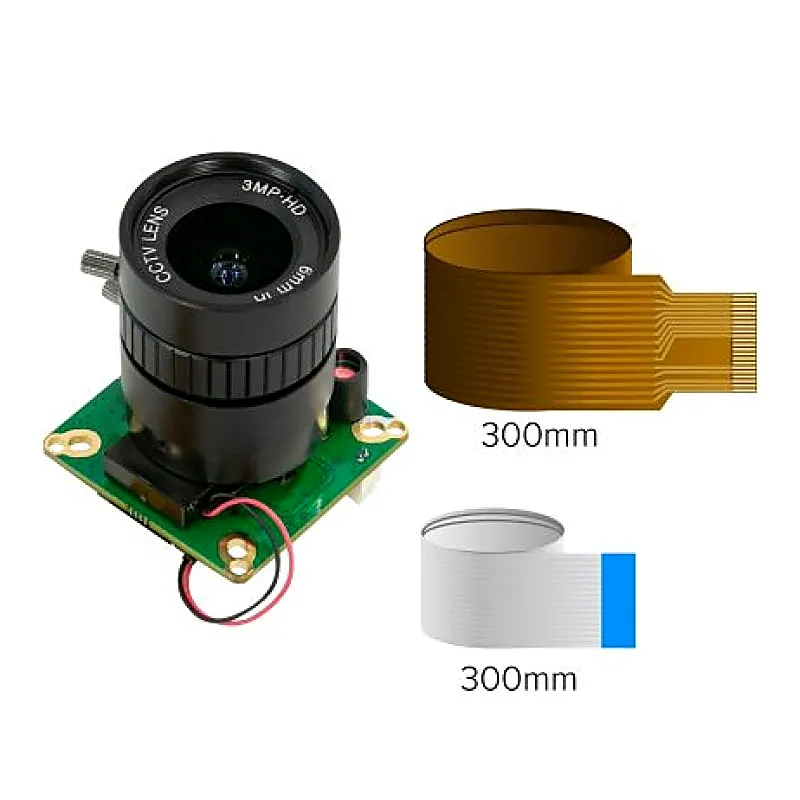
This is a Arducam High Quality IR-CUT Camera for Raspberry Pi. This Arducam module uses the same 12MP IMX477 image sensor as the Raspberry Pi High-Quality Camera but offers a mechanical IR cut-off filter switched automatically based on light conditions. The official RPi HQ camera is not sensitive to
+ 18% GST (added at checkout)
In stock — 3 units ready
- First, you need to do a Hardware setup. You need to make the connections as shown in the link . For software setup, the commands are given in the same link.
Buying in bulk?
Get volume pricing, GST invoicing and stock availability for larger quantities of this item.
This is a Arducam High Quality IR-CUT Camera for Raspberry Pi. This Arducam module uses the same 12MP IMX477 image sensor as the Raspberry Pi High-Quality Camera but offers a mechanical IR cut-off filter switched automatically based on light conditions. The official RPi HQ camera is not sensitive to infrared, and there wont be a NoIR version. On the contrary, this Arducam camera module not only offers sensitivity to infrared but also keeps the natural feeling during daylight. Its fully compatible with all Raspberry Pi models with a camera connector. Important Note On The IMX477 MiPi Lanes Our IMX477 camera module support 4-lane in hardware, but the 4-lane camera driver requires extra customization. Here is why: Standard Raspberry Pi and Jetson Nano/Xavier NX cant physically support a 4-lane connection (both of them only have 2-lane CSI connectors). Only the Raspberry Pi Compute Module and some 3rd party Jetson Carrier Boards come with 4-lane hardware support. Therefore, its not a general need. Extra works, specifically camera drivers, are required for a 4-lane connection other than the 4-lane physical connector. And the drivers are limited by the performances of the platform itself. For example, 4-lane cant unlock 4k video on Raspberry Pi because the VideoCore does not currently support it. Jetson Nano is also to some extent limited because of the encoding capabilities. You need to make sure you really need it. Useful Link: https://projects.raspberrypi.org/en/projects/getting-started-with-picamera Download Links: First, you need to do a Hardware setup. You need to make the connections as shown in the link . For software setup, the commands are given in the same link. Package Includes: 1 x Arducam High Quality IR-CUT Camera for Raspberry Pi
You may also need
Arducam High Quality IR-CUT Camera for Raspberry Pi